Your photo. Your dream car.
24 Car Trend AI — Turn One Photo Into a Two-Card Car Reveal
Put yourself in the 24 car trend: show the 2 and 4 cards, swipe across the lens and reveal your chosen car. Upload your photo, select a preset vehicle or add a car photo, and make a 12-second silent video.
Make my 24 car videoWatch the sample free. Personal videos require an account and purchased credits; packages start at $9.90 USD.
What Is the 24 Car Trend?
The 24 car trend is a short car-reveal video shared on TikTok and Reels: a person slides two number cards, a 2 and a 4, across the lens, and a car appears behind them. You may also see it called the 24 card car trend or UNO car trend.
- 01
Face the camera with an empty space behind you. The opening makes the later change easy to see.
- 02
Lift the two cards close to the lens. Their movement briefly hides the scene and conceals the transition.
- 03
Move the cards away to reveal the car. Point back, react in surprise and step aside to give it the final shot.
Creators can film this with a real car and an edit, or recreate it with AI. Here, AI supplies the sequence from your photos; you do not need to film the card movement. Our version lasts 12 seconds. Other versions use different timings and locations.
How to Make the 24 Car Trend Video with AI

Step 1 — Add your photo
Use a clear, front-facing photo of one person, ideally waist up, with the face unobstructed and evenly lit. Avoid mirror selfies and strong filters. JPEG, PNG, WebP and HEIC/HEIF files up to 25 MB are supported.
Step 2 — Choose your car and quality
Pick a preset vehicle, or upload a car photo with the whole vehicle visible from the side or a front corner. Choose 720p or 1080p. The scene, card swipe and movements follow the template; there is no custom scene field.

Step 3 — Generate and download your clip
Sign in, buy enough credits, confirm photo permissions and press Generate. After completion, open My videos and download the silent MP4 or its 9:16 portrait copy. Add music in your publishing app.
12 seconds is the finished video length. Processing time varies with the queue, generation and saving. Once the task appears in My videos, you can leave and return with the same account.
Read the full photo-to-video tutorialWhy It Is Called “24” — The Two-Card Reveal Explained
The visible 2 and 4 read as 24 when held side by side. “24 card”, “24 cards trend” and “24 car transition” describe that same moment. The cards also hide the cut: the car should appear only after they pass across the lens. Some versions use UNO-style cards; the format does not require a particular card color or car model.
24 Car Trend AI Prompts and Car Ideas
You do not need a prompt in this generator. To prepare a custom car reference in a separate image tool, try these English starting prompts, then upload the resulting image as your car photo. Review the image before using it; these ideas are not tested guarantees.
Each prompt describes the vehicle, not a new video scene. The generator keeps the template background, card swipe and reaction. Camera moves, lighting changes and character gestures in a prompt will not become controls here.
Cherry red supercar
Cherry red mid-engine supercar, sculpted body, black wheels, full vehicle in front three-quarter view, neutral studio background, soft even light, no people, no text.Matte black muscle car
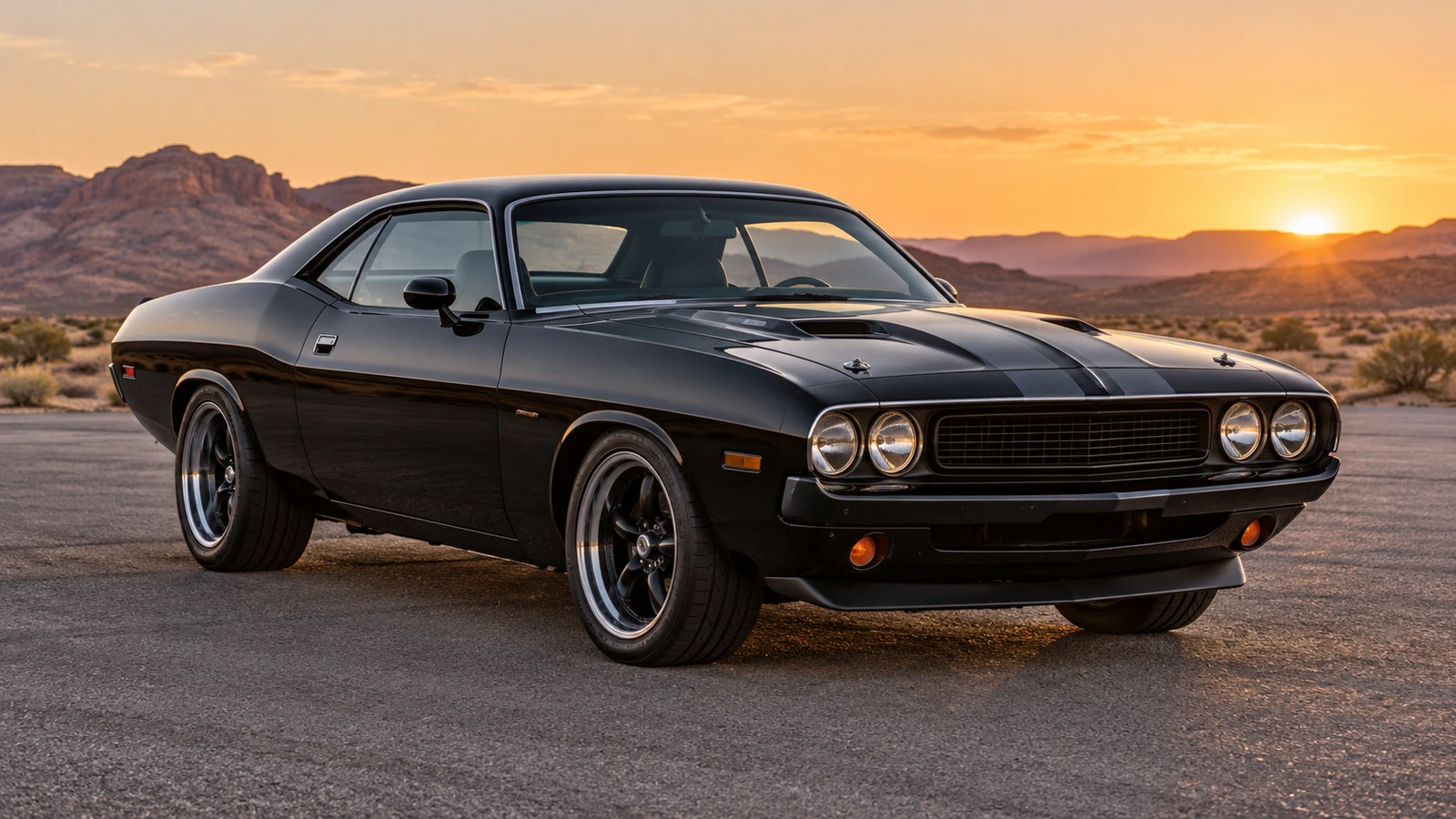
Matte black muscle car, broad hood, squared shoulders, dark five-spoke wheels, full vehicle in front three-quarter view, neutral studio background, no people, no text.Lime green track car
Lime green track coupe, large rear wing, low splitter, dark racing wheels, full vehicle in front three-quarter view, neutral studio background, no people, no text.White vintage GT
Pearl white vintage grand tourer, long hood, rounded headlights, polished silver wheels, full vehicle in front three-quarter view, neutral studio background, no people, no text.Blue hypercar
Deep blue hypercar, flowing aerodynamic body, low roof, black multi-spoke wheels, full vehicle in front three-quarter view, neutral studio background, no people, no text.Sand pickup
Sand-colored adventure pickup, four-door cab, short bed, chunky tires, full vehicle in front three-quarter view, neutral studio background, no people, no text.Forest green off-roader
Forest green off-road SUV, upright body, generous ground clearance, rugged tires, full vehicle in front three-quarter view, neutral studio background, no people, no text.Silver retro coupe
Brushed silver retro sports coupe, compact proportions, circular headlights, dark wheels, full vehicle in front three-quarter view, neutral studio background, no people, no text.Burgundy luxury sedan
Deep burgundy luxury sedan, long wheelbase, understated chrome trim, silver wheels, full vehicle in front three-quarter view, neutral studio background, no people, no text.Yellow compact hatchback
Bright yellow compact hatchback, short wheelbase, playful rounded body, small silver wheels, full vehicle in front three-quarter view, neutral studio background, no people, no text.
16:9 or 9:16? Choosing a Format for Each Platform
The original is a 16:9 landscape MP4. My videos also offers a 9:16 copy with the complete frame centered over a blurred background. That export uses the finished video and costs no extra generation credits.
| Platform | Suggested format | Before posting |
|---|---|---|
| TikTok | 9:16 | Use the portrait download, preview the cards and car under the app controls, and label realistic AI-generated content. |
| Instagram Reels | 9:16 | Use the portrait copy for a full-height canvas. Check the cover and keep important details clear of captions and buttons. |
| YouTube Shorts | 9:16 | Use the portrait copy. YouTube classifies square or vertical uploads up to three minutes as Shorts; a short landscape video does not qualify on duration alone. |
There is no square export here. To make a 1:1 version, use an external editor and check that the person, cards and car remain visible.
24 Car Trend Examples — See the Finished Reveal
2 photos → 1 video
The person and car behind our public sample
The playable sample above shows this person photo and the black muscle car in the card-swipe sequence. Watch the face through the occlusion, the timing of the reveal and the final car shape. It is one example of a possible result; details can vary between generations.
Watch the full sampleChoose a vehicle reference
These are the available preset car images, not additional generated videos. Your selected vehicle replaces the car in the same reveal sequence.


24 Car Trend vs Unforgettable Car Trend vs UNO Car Trend
These names refer to the same card-swipe car reveal. The car, setting and performer may change between versions, while the two cards and reveal connect them.
- 24 car trend
- Named after the 2 and 4 cards. “24 trend car” is another search wording for this format.
- Unforgettable car trend
- Named after the commonly used song “Unforgettable” by French Montana featuring Swae Lee. Our download is silent; music is added when you publish.
- UNO car trend
- Named after the UNO-style number cards seen in many versions. This is an independent AI tool, not an official card-game product.
Pricing — One-Time Credits, No Subscription
Choose the package that fits your video quality and number of attempts. There is no subscription or automatic renewal, and purchased credits have no scheduled expiry. Both 720p and 1080p are available; higher resolution does not guarantee a closer likeness.
Basic 720p: 10 credits per video · HD 1080p: 15 credits per video
Unused credits are eligible for a refund within 7 days of purchase. View refund terms
A confirmed technical generation failure returns the credits charged for that task. This is a credit return, not a cash refund. An otherwise completed result you dislike does not automatically qualify; each new generation uses credits again.
See all packages24 Car Trend AI FAQ
Is the 24 car trend real or AI?
Both versions exist. A creator can film a real car and hide an edit behind the cards, or use AI. Videos made with Unforgettable Car AI are AI-generated and do not prove car ownership or a real event.
Why is it called the 24 car trend?
The person holds up cards numbered 2 and 4. Together they read 24, immediately before the swipe that reveals the car.
Do I need my own car to make it?
No. Choose a preset vehicle or upload a car photo you have permission to use. You do not need to stand beside a real car or film yourself holding cards.
Is the 24 car trend free to make?
The public sample is free to watch. Making your own video here requires an account and purchased credits. New accounts have no free generation credits. The lowest package is $9.90 USD for 10 credits.
How long is the video?
The finished video is approximately 12 seconds long. Generation takes a variable amount of time; 12 seconds is not a delivery-time promise.
Is it vertical or horizontal?
The original is 16:9 landscape. After completion, My videos offers a 9:16 portrait export with the whole frame over a blurred background, at no extra generation-credit cost. There is no built-in 1:1 export.
Do I need the original song or TikTok video?
No. The generator supplies the movement template. The downloaded MP4 is silent; add music available for your use in TikTok, Reels or your editor. The original song is not included with your purchase.
Can I use a photo of my friend or a celebrity?
Only upload a photo you are authorized to use, with permission from the person shown for AI processing. A public celebrity photo does not give you that permission. Do not create misleading endorsements, impersonation or harmful content; uploads must pass safety review.
How many credits does one video use?
One 720p generation uses 10 credits; one 1080p generation uses 15 credits. Each new generation is charged again. Downloading the finished video or exporting its portrait copy does not use generation credits.
What resolution do I get — 720p or 1080p?
Choose 720p Standard or 1080p Pro before generating. Both use the same reveal sequence. More pixels do not guarantee an exact face, perfect cards or an identical car.
Is there a watermark?
The exported MP4 has no visible watermark. The file is silent, and you add music when publishing.
Can I use it commercially?
Commercial use depends on your rights to the photos, likenesses, car branding and added music, plus the rules of the publishing platform. Payment and a watermark-free download do not provide blanket clearance. Review the usage terms before publishing an ad.
What if my photo gets rejected by the safety check?
A photo must pass safety review before a generation task is created and credits are charged. A rejected photo is not saved to our media storage. Read the error and choose a permitted photo; this does not promise deletion of records held by the review provider.
What happens if generation fails — do I lose credits?
A confirmed technical failure returns that task’s credits automatically. A queued, processing or recovering task is not yet a confirmed failure. If a completed video has a defect, contact support with its task ID; a new attempt uses credits again.
How should I label the AI video on TikTok?
TikTok requires labeling realistic AI-generated scenes and people. Enable the AI-generated content label when posting; do not try to hide that the video is AI-made. Add permitted music and align the car reveal to a beat in the editor. A label is not a guarantee of approval or reach.
Why does my car look different from the preset?
AI can change body details, wheels, paint and proportions while matching the template view. A clear image of the whole car helps, but exact reproduction is not guaranteed. Inspect the result before sharing; generating another version uses credits again.